Staff meetings in the diary
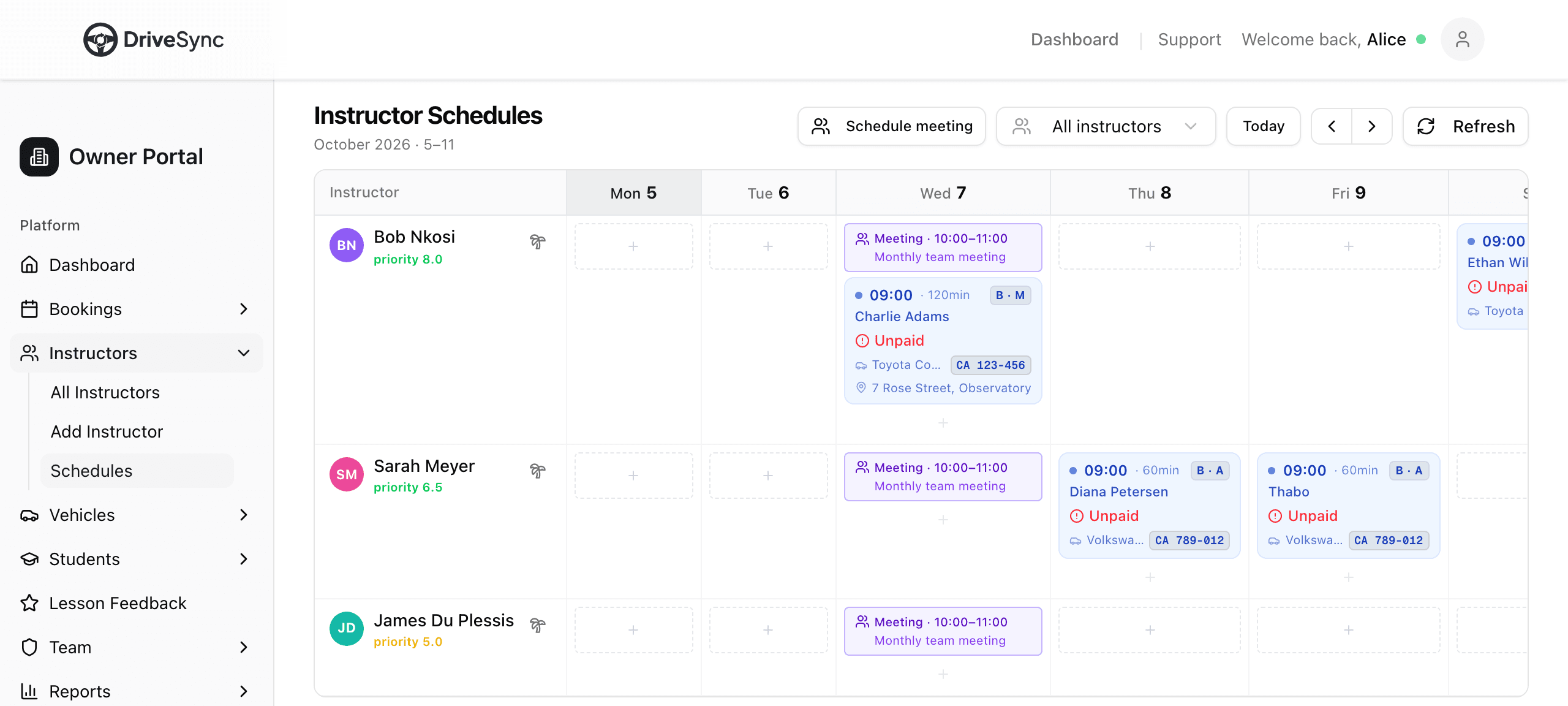
Put a staff meeting in the diary once and it blocks every attendee's time, so no lessons get booked over it. Moving or cancelling the meeting updates everyone at once, with no more blocking each instructor by hand.
How to use it
- 1Go to Instructors, then Schedules
- 2Tap Schedule meeting
- 3Add a title, date, time, location and the staff attending, then save
- 4The meeting shows in purple on each attendee's day. Tap it to edit or cancel